How to Export Claude Code conversations
Claude Code is a powerful AI coding assistant. While Claude Code is great for interactive development sessions, it doesn’t have a built-in way to export chat history or share conversations. Developers have publicly voiced this frustration — wishing there were a way to preserve and share their sessions. If you’ve ever wanted to export a Claude Code chat, save a session for later reference, or share an AI-assisted debugging session with a teammate — this guide is for you.
Using Cooontext, you can export any Claude Code conversation in under 30 seconds and share it with coworkers, followers, or friends.
Why Export Your Claude Code Chat?
Before diving into the steps, here’s why developers commonly need to export Claude Code sessions:
- Share Claude Code chats with teammates — pass along a useful debugging session or architecture discussion without copy-pasting walls of text.
- Export Claude Code chat history for documentation or postmortems.
- Save context from a long coding session to revisit later.
- Publish Claude Code conversations to your blog or social media to show your workflow.
Notably, Anthropic’s own data export documentation only covers the Claude web app — the CLI is left out entirely. Claude Code doesn’t natively support /export or any built-in export command, which is why a dedicated tool like Cooontext fills the gap.
How to Export a Claude Code Conversation (Step-by-Step)
Step 1 — Install the Cooontext Export Tool
Install the ctx CLI by running the following command in your terminal:
curl -fsSL https://cooontext.com/install.sh | bashThen run the export command and select the “Chat” option:
ctx export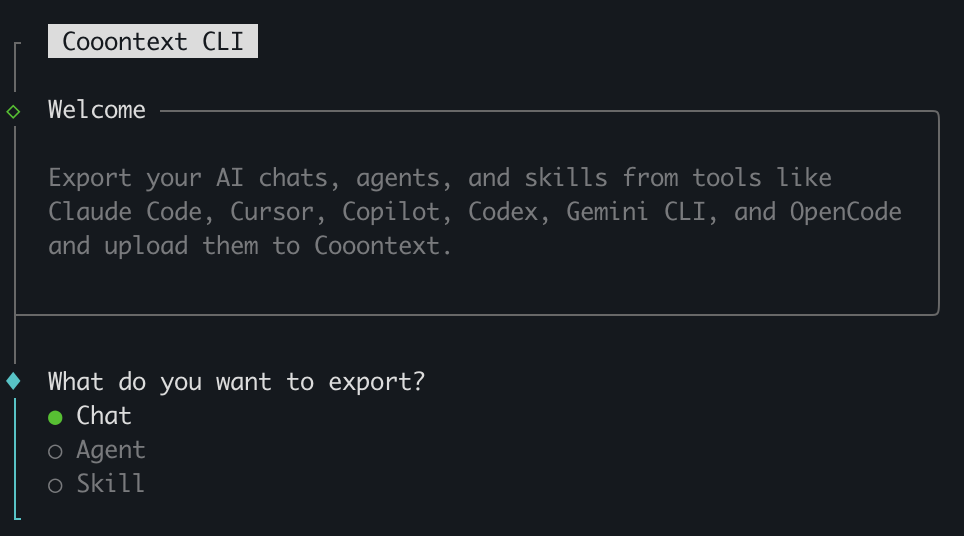
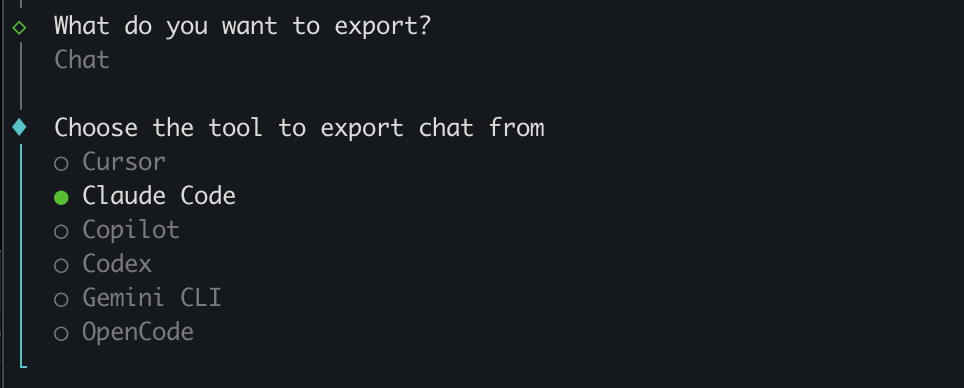
Step 2 — Choose “Claude Code” as the Source
From the list of supported AI tools, select Claude Code to export your conversation.
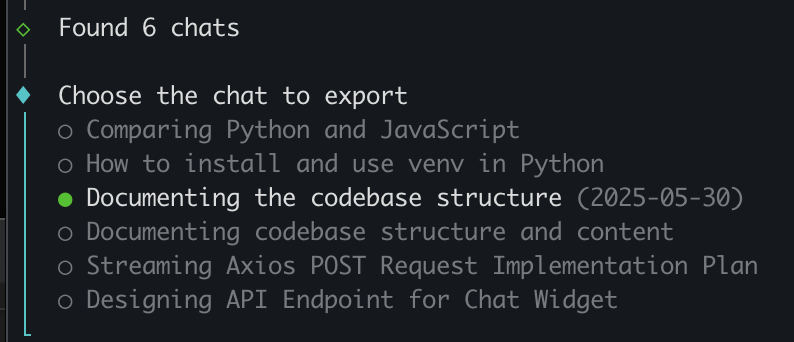
Step 3 — Select the Chat Session to Export
ctx will automatically detect your local Claude Code session history. Pick the conversation you want to export.
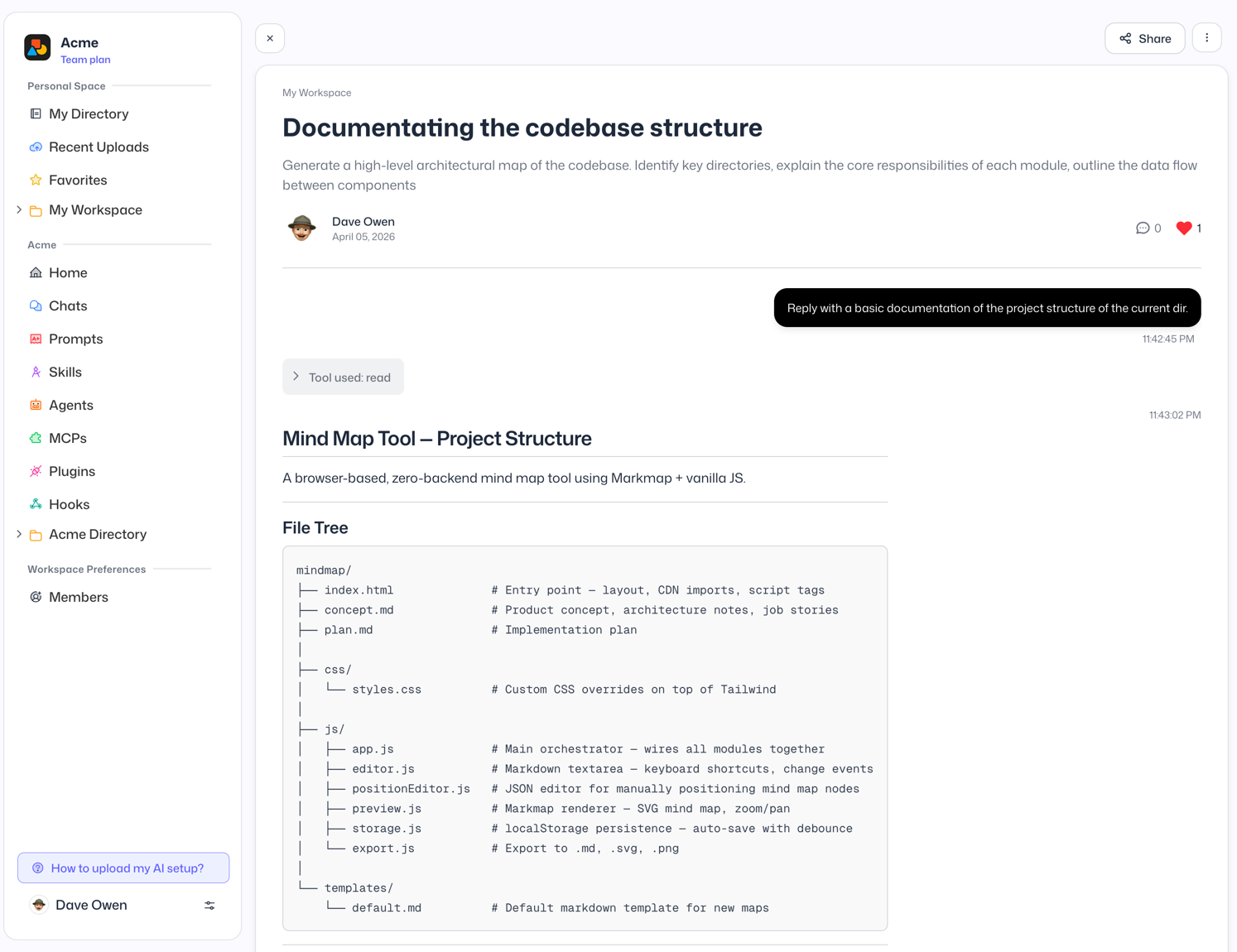
That’s it — your Claude Code chat export is complete!

The exported conversation is now saved to your Cooontext account and available at any time.
Other Ways to Export Claude Code Chats (And Why They Fall Short)
Before Cooontext, developers found a few workarounds — but each comes with significant limitations:
- MCP-based exporters: Claude Code Exporter is an MCP server that can extract conversation data. It requires setting up an MCP integration and offers no built-in way to share the result.
- Browser extensions: Extensions like AI Chat Exporter can export AI chats to PDF — but they work with browser-based interfaces only and don’t support Claude Code’s CLI sessions at all.
Neither approach supports exporting other Claude Code artifacts, works across multiple AI tools, or provides a one-click share link. Cooontext is free and covers all of these gaps.
Bonus: Share Your Claude Code Chats
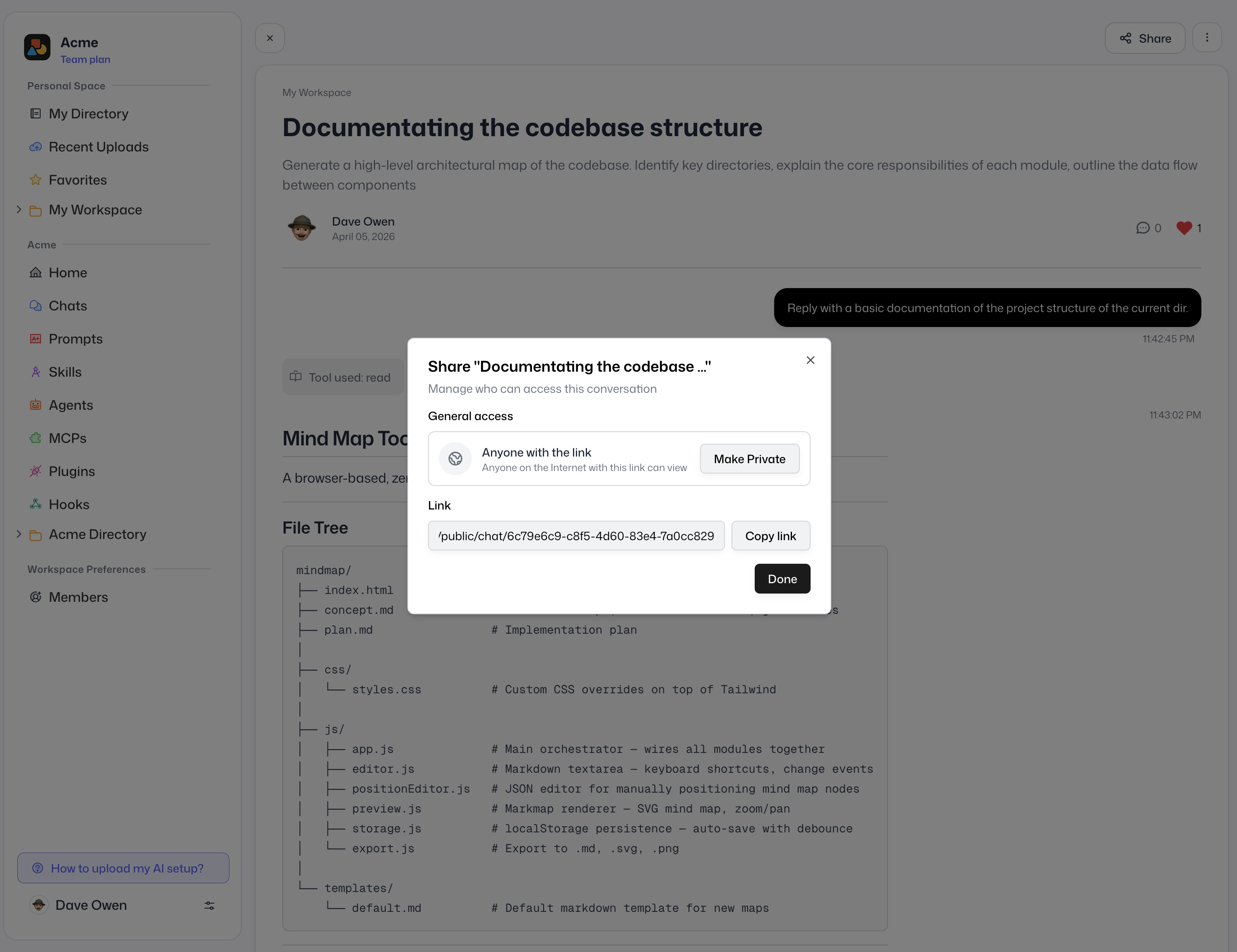
Once exported, you get a shareable link you can send to anyone — no account required on their end. Share your Claude Code session with coworkers for code review, post it to social media, or embed it in your documentation.
Frequently Asked Questions
Does Claude Code have a built-in /export command?
No. As of 2026, Claude Code does not include a native /export command or any built-in way to export chat history. The ctx tool from Cooontext is the easiest way to export Claude Code conversations.
Can I export my full Claude Code chat history?
Yes. Cooontext’s ctx tool reads your local Claude Code session files and lets you select any conversation to export — including long multi-turn sessions.
How do I export Claude Code context to share with a coworker?
Install ctx, run ctx export, choose Claude Code, select the session, and share the generated link. The whole process takes under 30 seconds.
Is the export tool free?
Cooontext offers a free tier that covers basic exports and sharing. Visit cooontext.com for details on plans.
Summary
Exporting a chat from Claude Code is straightforward with the right tool. Here’s a quick recap:
- Install
ctx:curl -fsSL https://cooontext.com/install.sh | bash - Run
ctx exportand choose Chat - Select Claude Code as your source
- Pick the session you want to export
- Share the link with anyone
Whether you need to export a Claude Code session, save your Claude Code chat history, or share an AI coding conversation with your team, Cooontext makes it effortless.